Product preview · Fictional patient data

OvaFlow

Walkthrough 13 of 29 · iPhone

Maya's iPhone: a chosen pause and a private support call

“Your pause, your pace”: routine reminders stop, and asking for a private call doesn't restart treatment.

Length
0:05
Chapters
3
Shown on
iPhone, patient companion concept
  • Planned after the pilot
  • Prototype walkthrough · Fictional patient data

Maya's iPhone: a chosen pause and a private support call, muted recording of the design prototype. Fictional patient data.

Chapter 1 of 3: Your pause, your pace

Recorded from an interactive design prototype. Every patient, clinician and clinic is fictional, EMR screens are modeled reconstructions, and nothing shown is a live connection to any clinic or vendor system.

Clinical & operational context

The situation on screen, why it matters, and where OvaFlow stops.

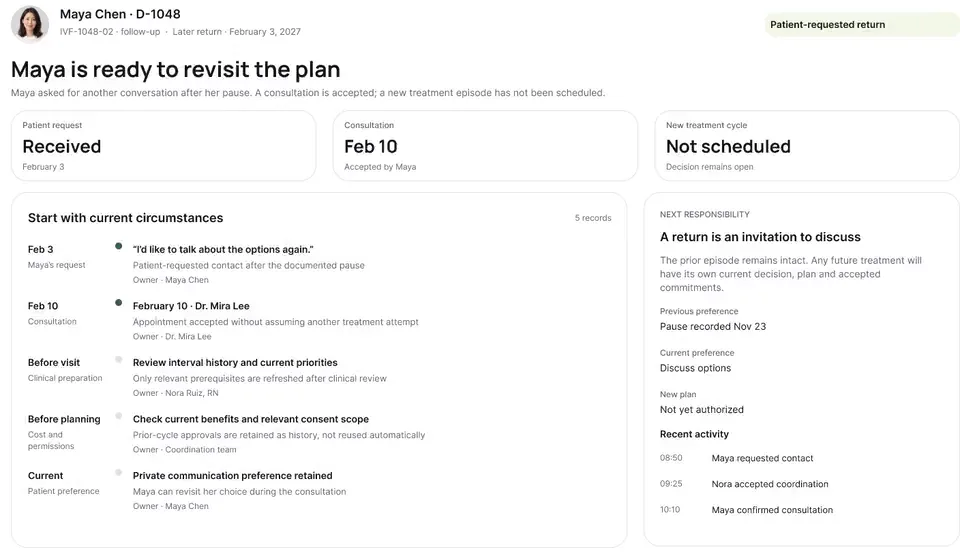
Maya has chosen to pause treatment. Routine cycle reminders stop, and when she asks for a private call with a clinician, her pause stays in place and nothing appears on her Lock Screen.

What clinical situation this depicts

Not every IVF cycle ends in an immediate transfer or pregnancy, and many patients take a deliberate pause between stimulation cycles, after an unsuccessful transfer, or following a pregnancy loss. Standard clinic portals often continue firing automated 'Complete your pre-cycle checklist' or 'Schedule your baseline ultrasound' nudges during a pause — causing acute distress — while offering no way to request a private counseling or nursing check-in without reactivating the treatment workflow.

This iPhone walkthrough follows Maya Chen during a chosen pause in care: her companion screen confirms that routine cycle reminders are silenced and that she controls when to resume, lets her request a confidential support call from the clinic's counseling/nursing team with her preferred contact privacy, and confirms that requesting support keeps her cycle pause intact.

Step-by-step workflow

Maya Chen's chosen pause: reminders silenced, confidential support available

Step 1iPhone companion

Maya Chen

Views active treatment pause with reminders silenced

Pause active · quiet
Step 2Support card

Maya Chen

Requests a private call on her preferred number

Confidential request
Step 3Cycle pause status

OvaFlow safeguard

Keeps cycle checklists and nudges suppressed

Pause preserved
Step 4Clinic care queue

Counseling / RN team

Receives private callback request with privacy note

Call pending

How the patient companion separates confidential emotional or clinical support from cycle reactivation.

Guardrail: Requesting a private support call never restarts automated cycle reminders or changes pause status.

What OvaFlow coordinates in this recording

  • Silences routine cycle reminders and checklist timers while a patient is on a chosen pause.
  • Lets Maya Chen request a confidential support call with explicit voicemail/privacy preferences.
  • Keeps the treatment pause intact when a support call is requested.

What stays with clinicians & the clinic's own systems

  • Never restarts automated baseline or medication reminders when a paused patient sends a message.
  • Never shares confidential support requests on group or partner threads.
  • Never replaces licensed psychological counseling or medical care.

What to watch for

What could go wrong, and what you'll see instead.

Maya has chosen to pause treatment. Routine cycle reminders stop, and when she asks for a private call with a clinician, her pause stays in place and nothing appears on her Lock Screen.

The problems it is designed around

  1. Automated cycle reminders continuing after an unsuccessful cycle, a loss or a chosen pause.
  2. Asking for support accidentally restarting treatment reminders or showing on the Lock Screen.

What you'll see in the recording

  1. “Your pause, your pace”
  2. A private call request with Lock Screen previews off
  3. The pause kept in place
Chapter-by-chapter guide

Every chapter in this 0:05 walkthrough (3 chapters)

Follow the exact timestamps, UI status changes, and coordination safeguards as the recording plays.

  1. Chapter 10:00 – 0:02

    Your pause, your pace

    What to watch for: Maya's home screen calmly confirms her treatment is paused and automated checklist nudges are turned off.

    Boundary rule: A paused patient is never nagged by automated task timers.

    On-screen narration: Maya's treatment pause screen opens on her iPhone: “Your pause, your pace”.

Show chapters 2–3 (2 more chapters with timestamps & boundary notes)
  1. Chapter 20:02 – 0:04

    Asking for a private call

    What to watch for: She taps to request a private phone call and selects her confidential callback preferences.

    Boundary rule: Support requests respect patient-specified voicemail and recipient privacy.

    On-screen narration: She asks for a private call with a clinician. Lock Screen previews stay off and her pause stays in place.

  2. Chapter 30:04 – 0:05

    Pause kept, call pending

    What to watch for: Her screen confirms the callback request is with the clinic team while her treatment pause remains untouched.

    Boundary rule: Asking for human support never flips a paused episode back into active cycle workflows.

    On-screen narration: She's back on her pause overview, with the private call request pending.

OvaFlow never makes the clinical call in these recordings. Physicians sign, the person taking a handoff accepts it, and the lab keeps its own holds. The companion tracks, checks and stops; staff decide.

In this walkthrough

The people on screen

Every patient, family member, clinician and clinic in these stories is fictional. Names, times and screens come from prototype walkthroughs, not from real care.

  • Maya ChenPatient
Fictional patient data

Systems in this recording

Named or shown on screen. An EMR here is a modeled workflow example built for the prototype, not the vendor's own software. OvaFlow is designed to work beside these systems.

  • Patient and clinician companion concepts (design prototype)

Third-party names and logos are trademarks of their respective owners, shown to illustrate systems commonly used in IVF clinics. No affiliation, endorsement or live integration is implied. nAbleIVF, eIVF and Artisan appear as modeled workflow examples.

Where this appears

Read the page around it.

This recording is part of these pages. Each one explains the step in more depth.

Show all pages where this walkthrough appears

Questions & answers

Common questions about this walkthrough

What clinicians, coordinators, practice leaders, and patients ask when reviewing Walkthrough 13.

If a paused patient asks for a call with a nurse or counselor, does that restart her cycle reminders?

No. Her pause status remains locked until she and her care team explicitly choose to start a new treatment episode.

Can the patient specify how the clinic should reach her for a private call?

Yes. She can indicate her preferred phone number, time window, and whether a detailed voicemail may be left.

Show 1 more walkthrough questions
Who sees a confidential support request inside the clinic?

It routes to the designated nursing or counseling queue with her privacy flag prominently displayed.

Next step

Walk through it with your own team.

We'll replay this flow against your roles and handoffs, using fictional records. Please don't send patient data.