Guided tour
Artisan clinics
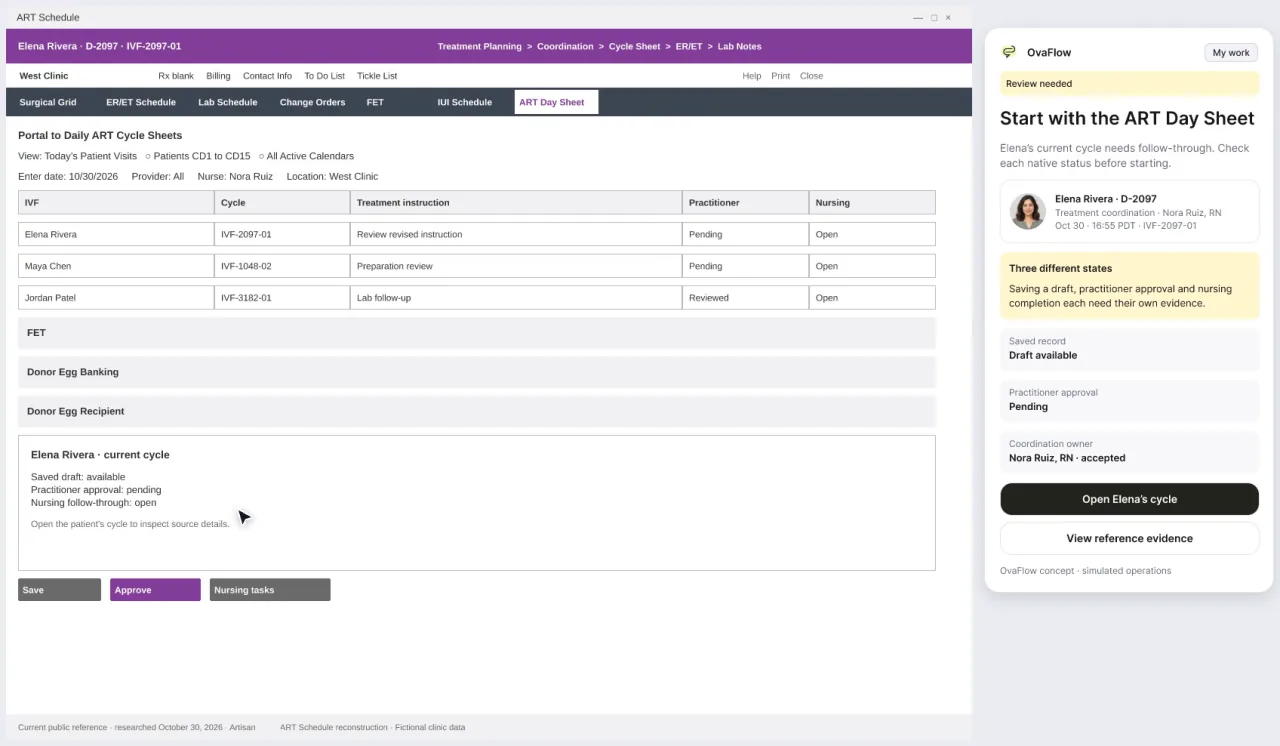
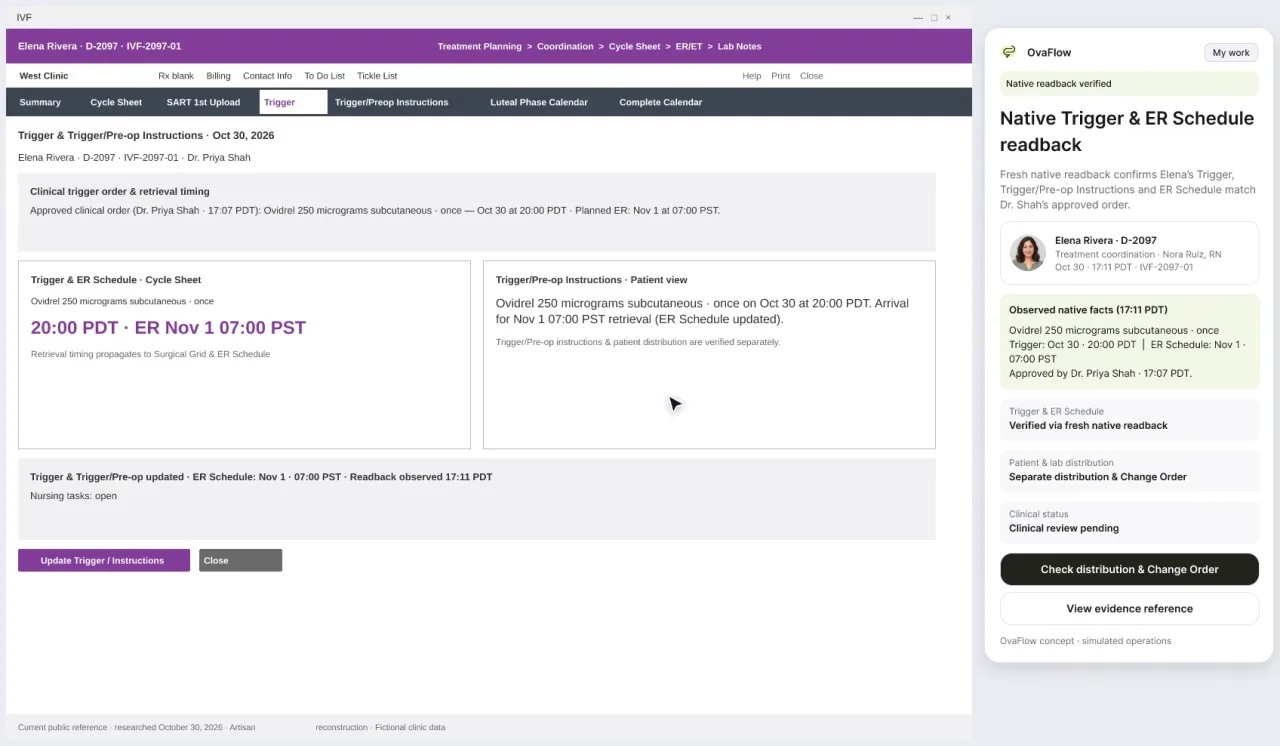
The compact companion beside a modeled Artisan reconstruction: a proposal that waits for approval, a wrong-chart stop, an interrupted view that isn't assumed done, and a handoff that moves only on acceptance. Together the two stops show how morning Trigger & Pre-op review connects to afternoon Day Sheet changes and embryology change orders.
- Walkthroughs
- 2
- Running time
- 0:50
- For
- Nurses · Physicians
Artisan appears as a modeled workflow example built from public references. It has not yet been checked against a real Artisan clinic build, and how an existing instruction is edited is our own stand-in. These walkthroughs replay Elena's trigger change as a separate modeled clinic example, with Dr. Priya Shah as the approving physician; times are fictional.
Watch the tour
Walkthrough 1 of 2: Artisan: trigger approval, the wrong chart and an interrupted view
Artisan: trigger approval, the wrong chart and an interrupted view, muted recording of the design prototype. Fictional patient data.
Chapter 1 of 9: A modeled Artisan reference
Narrative arc & route map
Why these walkthroughs are sequenced together.
Trigger & Pre-op, the Day Sheet, a lab change order and read versus accept.
The clinical & operational thread
Clinics that use Artisan work across high-density browser views such as the clinic Day Sheet and individual patient Cycle Sheets. When a coordinator or nurse is reconciling afternoon lab results, preparing a trigger change proposal for the physician, placing approved values into the Cycle Sheet, and notifying both the patient and the embryology lab via internal instant messaging, the biggest risks are acting while the wrong patient's browser tab is open, losing sight of the EMR tab mid-save, and assuming a colleague's chat read receipt means they accepted the handoff.
This two-stop tour (1:23 total) places the 384 px OvaFlow companion beside a modeled Artisan reference interface (1056 px). Stop 1 follows a trigger change proposal approved by Dr. Priya Shah at 17:07 PDT, halts when Maya Chen's chart is open instead of Elena Rivera's, marks mid-save focus loss as 'Observation interrupted', and clears the task only by reading the saved value back from the modeled Cycle Sheet. Stop 2 starts from that verified readback, tracks patient portal and embryology lab notifications separately, and shows why Chloe Park, RN reading a handoff message at 17:22 PDT leaves Nora Ruiz, RN responsible until Chloe clicks Accept at 17:25 PDT.
Grounded in published clinical and safety guidance [3][6][14][18][19].
2-stop Artisan tour: Cycle Sheet readback to multi-channel distribution & acceptance
- 384 px beside ArtisanWrong-chart + Readback
- 384 px beside ArtisanRead 17:22 · Accepted 17:25
What OvaFlow coordinates across this tour
- Shows the 384 px companion docked beside a 1056 px modeled Artisan Day Sheet and Cycle Sheet.
- Enforces wrong-chart stops, interrupted-observation readback, and separate portal vs. lab notification tracking.
- Keeps Nora Ruiz, RN responsible after a 17:22 PDT read receipt until Chloe Park, RN accepts at 17:25 PDT.
What stays with clinicians & the clinic's own systems
- Does not claim a vendor affiliation, endorsement, or live connection to Artisan.
- Never modifies Artisan Cycle Sheet fields silently in the background.
- Never treats a seen chat message as an accepted clinical handoff.
The sequence
Every stop, in order.
Clinics that run Artisan. Each walkthrough also has its own page with chapters, a full transcript and the pages it belongs to.
- 01
Artisan: trigger approval, the wrong chart and an interrupted view
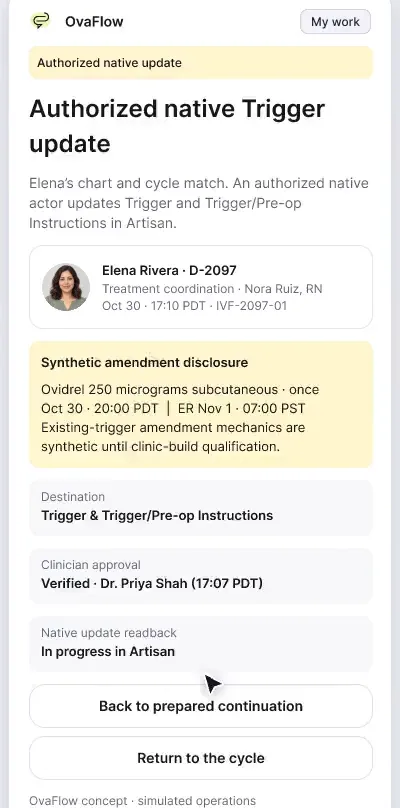
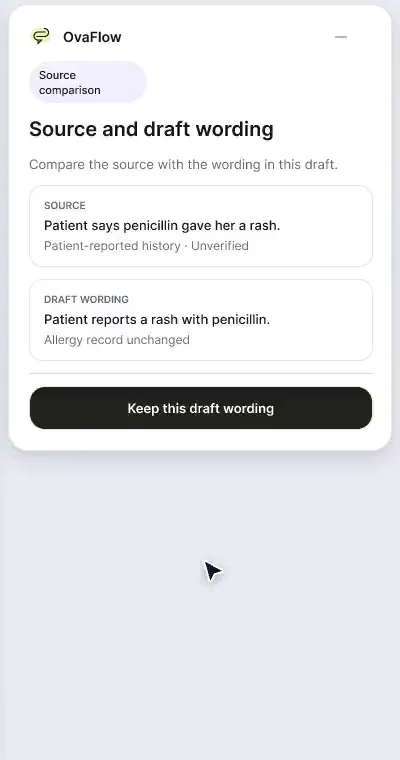
Beside a modeled Artisan view, the companion compares Dr. Priya Shah's approval with the unchanged Artisan fields, stops on Maya's open chart, and won't assume an update it didn't see.
Demonstrates how the companion sits beside a modeled Artisan Day Sheet and Cycle Sheet, separating Dr. Priya Shah's 17:07 PDT approval from EMR field placement and requiring readback after an interrupted observation.
What to watch for & handoff to next stop
Watch for: Watch the status banner when Maya Chen's chart is open in the left panel, and watch 'Observation interrupted' resolve only when the companion reads Elena's Cycle Sheet back.
Handoff: Once the Cycle Sheet readback is verified at the end of Stop 1, Stop 2 begins immediately from that verified state.
- 02
Artisan: portal distribution, lab change order, read vs accept
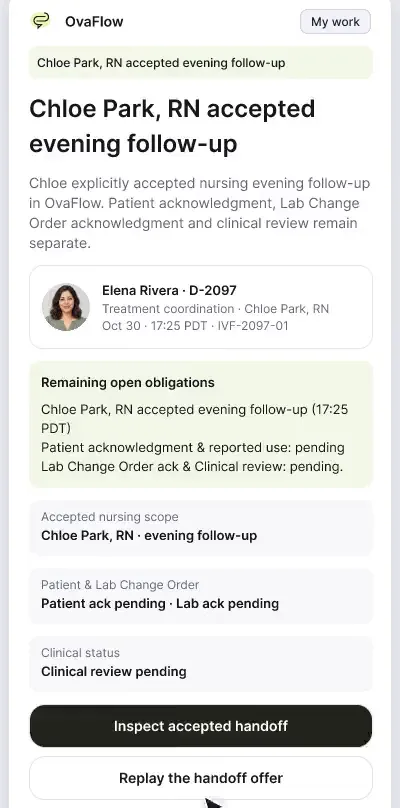
Saving a trigger doesn't tell the patient or the lab. Portal distribution, the lab change order and a message that was read but not accepted are each tracked separately.
Follows the verified Cycle Sheet update into downstream distribution: tracking patient portal and embryology lab notifications on separate rows, retiring superseded instructions, and enforcing explicit acceptance in team messaging.
What to watch for & handoff to next stop
Watch for: Notice the badge at 17:22 PDT ('Read — Nora still responsible') and how only Chloe Park, RN's explicit accept at 17:25 PDT transfers her specific task while leaving sibling items untouched.
Handoff: Completes the Artisan clinic tour; compare with nAbleIVF & eIVF in the next tour.
Tour FAQ
Questions about the Artisan clinics tour
Common questions from clinics that run artisan reviewing this sequence.
Has this prototype been connected to a live Artisan clinic database?
No. Artisan is shown as a modeled workflow example reconstructed from public references to demonstrate how OvaFlow is designed to work beside a clinic's EMR. Every operation is tested in the clinic's environment first.
Why does the Artisan tour use Dr. Priya Shah and different timestamps from Walkthrough 1?
These two walkthroughs replay Elena Rivera's trigger change as a distinct modeled clinic scenario with Dr. Priya Shah approving at 17:07 PDT and Chloe Park, RN accepting coverage at 17:25 PDT.
What happens if a coordinator switches Artisan browser tabs while placing an update?
If the visible patient header changes to another patient (such as Maya Chen), OvaFlow stops immediately; if the window loses visibility mid-save, it marks the item 'Observation interrupted' until the Cycle Sheet is read back.
Other tours
Pick another path.
Executive overview
Practice leaders and medical directorsnAbleIVF & eIVF clinics
Clinics that run nAbleIVF or eIVFWorkstation, messaging & recovery
Operations, IT and nursing leads
Show 3 more guided tours (Mobile & Watch · Patient experience · Lab, cryo & pharmacy)
Next step
Seen the recordings? Walk it with us.
A guided walkthrough of the design prototype, paced around your questions and your team's day. Fictional records only; please don't send patient data.