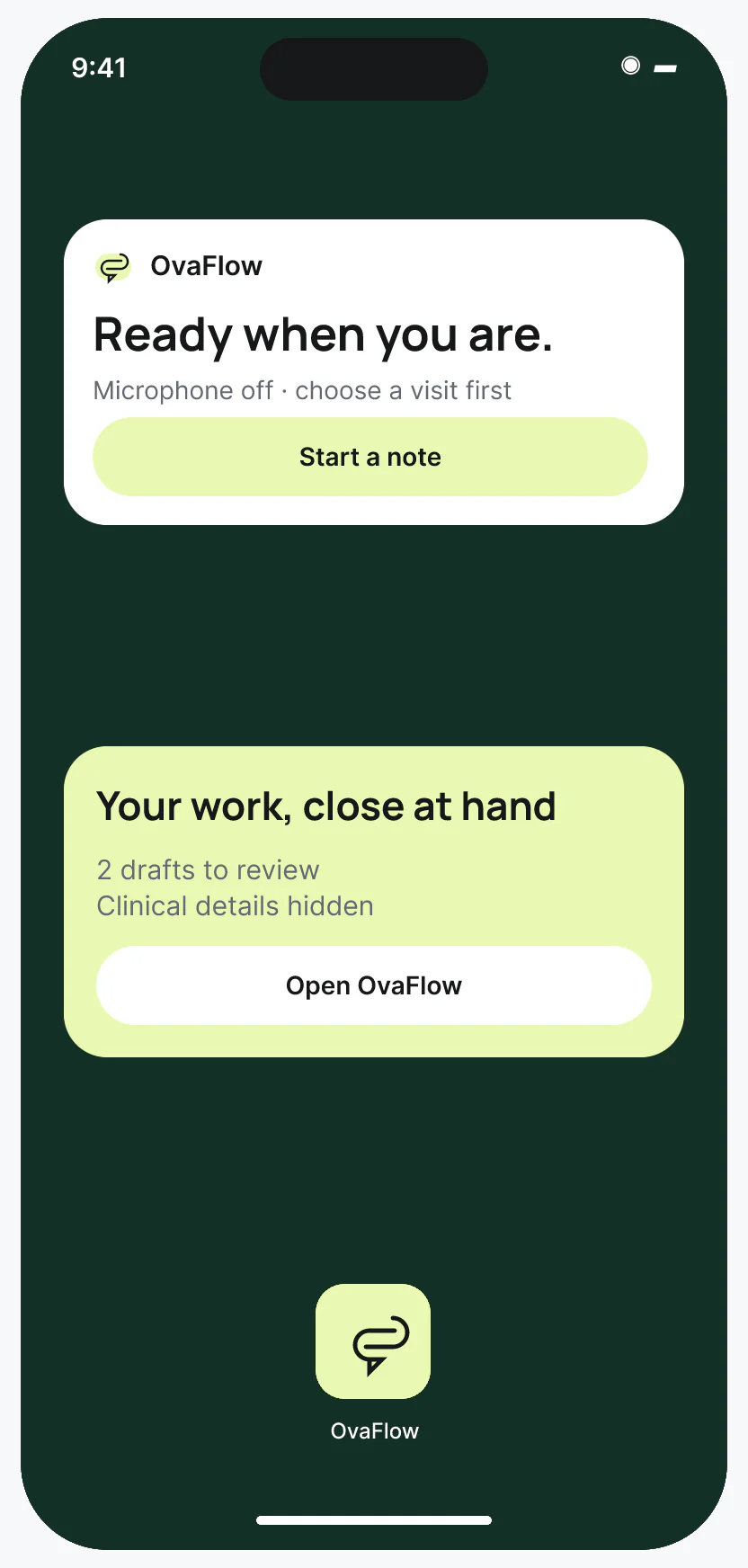
| iPhone Lock Screen widget (locked) [3] | Numeric queue counts (e.g., “3 items need action · 1 handoff offer”) and last-synced clock time. | All patient names, MRNs, medication names and cycle stages are hidden by default [3]. | Tap widget → prompts Face ID / Touch ID before opening the clinician iPhone app. | All clinical chart review and documentation. |
|---|
| Dynamic Island Compact & Minimal views [4] | Amber microphone glyph and live elapsed recording timer (e.g., “01:24”) at the top of iPhone. | Patient name stays hidden in Compact/Minimal pills so shoulder-surfers see only the timer. | Long-press or tap after authentication to pause or finish room capture. | Note review, placement and EMR save verification. |
|---|
| Dynamic Island Expanded & Lock Screen Live Activity [4] | Active capture state, elapsed timer, pause/stop controls (gated by Face ID when locked). | When locked, patient identity is redacted to “Active visit capture · Face ID to view”. | Guarantees a clinician never forgets an open microphone in their pocket. | Transcript comparison and chart commit. |
|---|
| Unlocked iPhone Home Screen widget [3] | Queue summary, explicit “Saved in OvaFlow” vs. “Placed in EMR” draft counts, and staleness badge. | If offline for 12 minutes, displays “Offline · as of 14:18” instead of pretending counts are live. | Jump directly to the unsigned draft queue or on-call handoff list. | Final EMR Save and readback verification at the desk. |
|---|
| watchOS Smart Stack & corner complication [5] | One-tap voice capture launcher and count of notes waiting on the Watch. | Zero patient names in the complication ring or dimmed Smart Stack card [5]. | Raise wrist and tap complication to open the encounter confirmation screen. | All chart edits and clinical approvals. |
|---|