Guided tour
Patient experience
What a patient could see: the current signed instruction first, a simple way to say what actually happened, urgent help that reaches a person, and a pause that is respected. The storyboard shows the clinic-side safeguard behind each screen.
- Walkthroughs
- 3
- Running time
- 0:44
- For
- Patients
The patient companion is planned for after the first pilot.
Watch the tour
Walkthrough 1 of 3: Elena's iPhone: the current instruction, an old link, an honest report
Elena's iPhone: the current instruction, an old link, an honest report, muted recording of the design prototype. Fictional patient data.
Chapter 1 of 6: The current instruction comes first
Narrative arc & route map
Why these walkthroughs are sequenced together.
The current instruction, an honest report, a chosen pause and the clinic view behind each screen.
The clinical & operational thread
Behind every clinical task on the nursing board is a patient at home trying to get her cycle right: checking tonight's trigger shot time, wondering if she should call the nurse with a syringe question, worrying because she injected at 8:20 PM instead of 8:00 PM, checking post-retrieval bloating symptoms, or taking an emotional break after a setback. Most patient portals treat every stage identically — burying updated instructions inside long message threads and firing automated checklist reminders even when a patient has paused care.
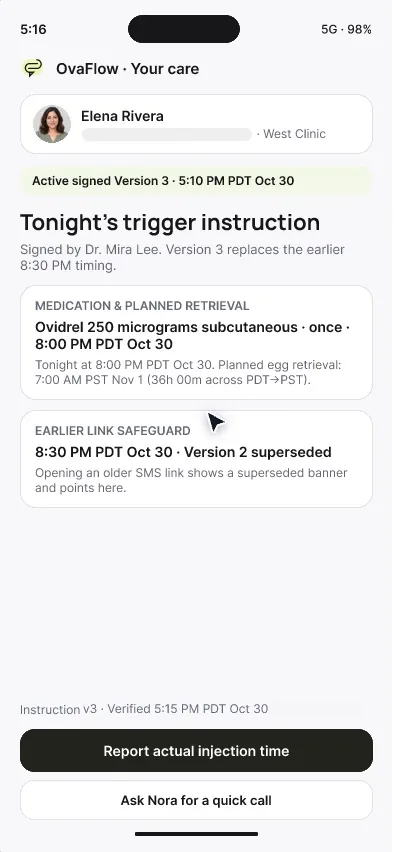
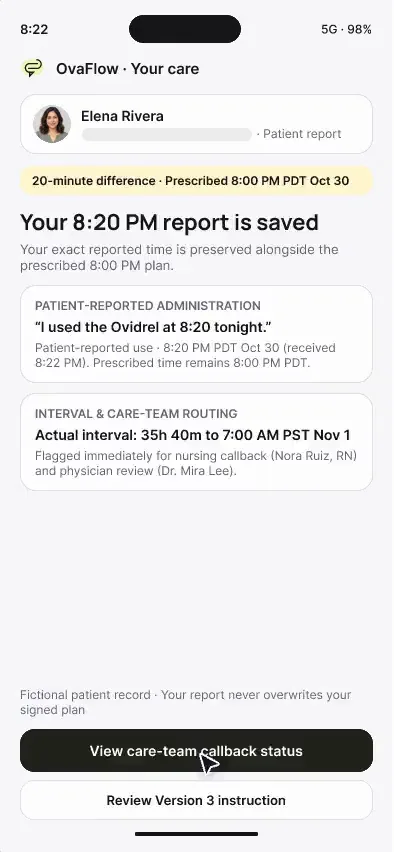
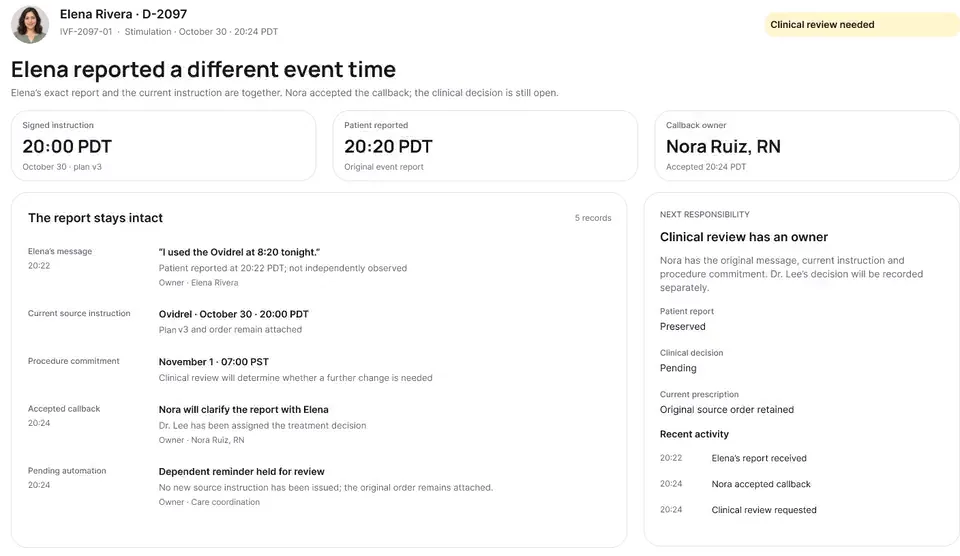
This three-stop tour (2:11 total) shows what the OvaFlow patient companion is designed to feel like — and then opens the curtain to show the clinic-side safeguard behind every tap. Stop 1 follows Elena Rivera on her iPhone on trigger night: her signed 8:00 PM PDT (Oct 30) instruction sits first in 12-hour time, an older link from earlier in the afternoon is intercepted and blocked, asking for a call never marks her dose taken, she honestly logs injecting at 8:20 PM PDT, sees who owns her callback, and later completes her recovery check-in with urgent clinic phone lines `(202) 555-0141` and `(202) 555-0140` pinned at the top. Stop 2 follows Maya Chen during a chosen treatment pause, where routine reminders stay silent even when she requests a confidential support call. Stop 3 places the patient's iPhone and the clinic's desktop workspace side by side across both stories.
Grounded in published clinical and safety guidance [3][4][5][10][22].
3-stop Patient Experience route: Elena's trigger night, Maya's pause, and the dual-panel clinic view
- Patient iPhone (12h)Stale link stop + Honest report
- Patient iPhone (12h)Pause kept · Nudges silenced
- Dual panel (iPhone + Desk)12h patient & 24h clinic sync
What OvaFlow coordinates across this tour
- Presents current signed instructions in 12-hour AM/PM time with the date and blocks stale notification links.
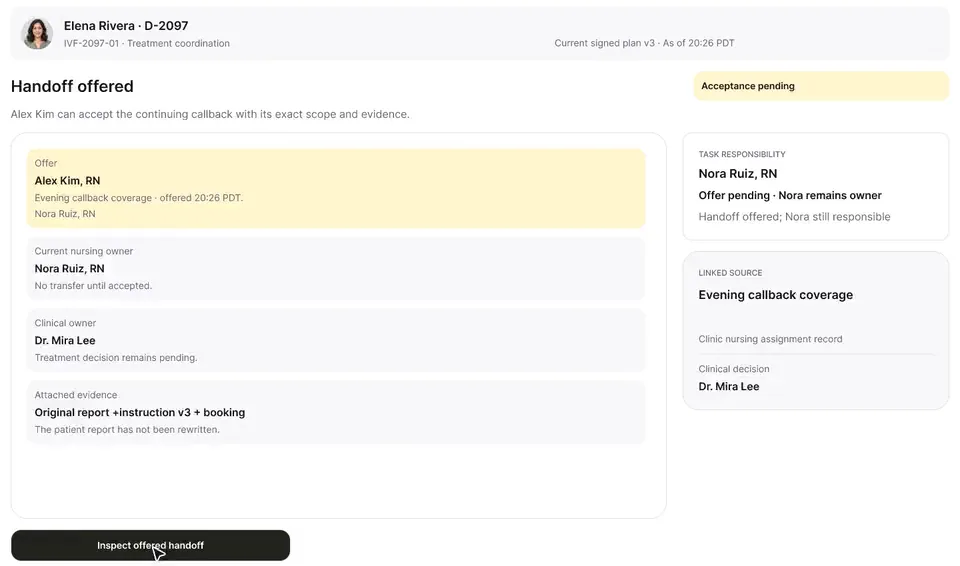
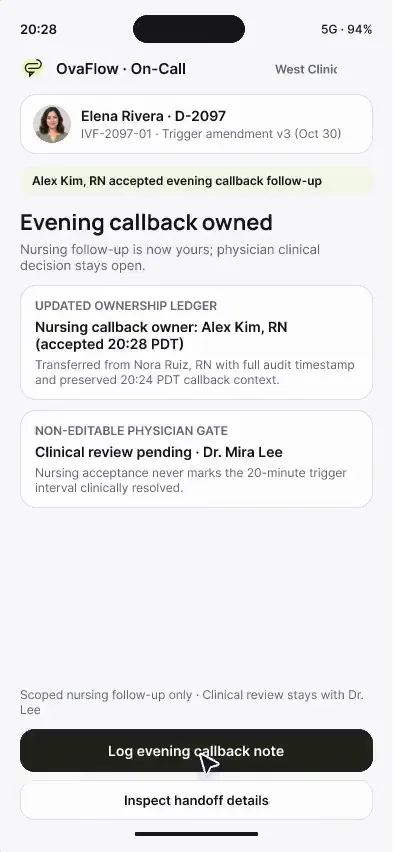
- Separates 'Ask for a call' from medication confirmation and shows which nurse owns the patient's callback.
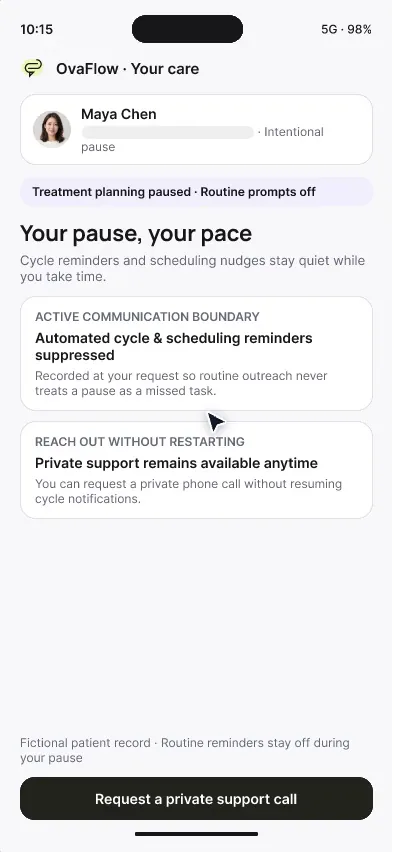
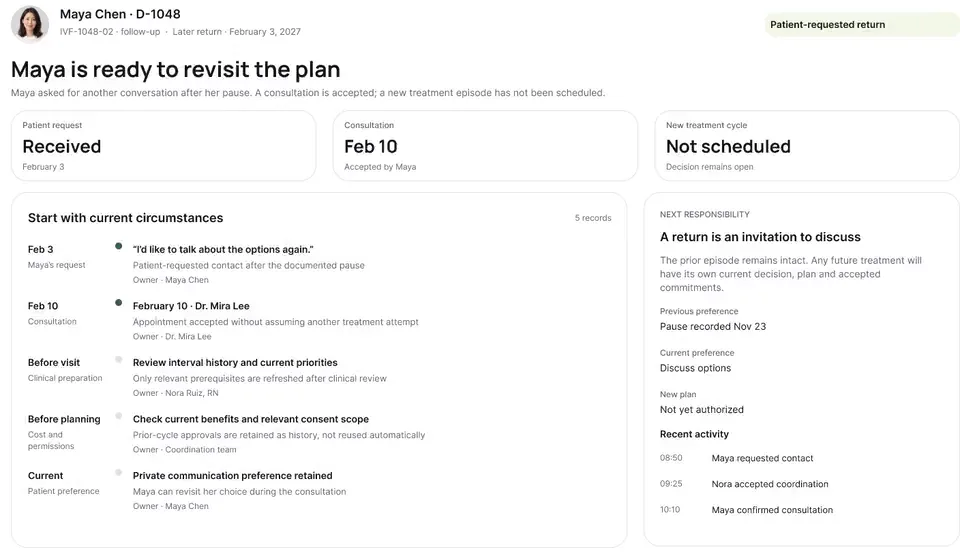
- Silences routine cycle reminders during a treatment pause or after a loss while keeping confidential support accessible.
What stays with clinicians & the clinic's own systems
- Never gives medical advice, adjusts medication doses, or triages post-retrieval symptoms.
- Never hides urgent clinic phone numbers `(202) 555-0141` and `(202) 555-0140` behind an automated bot.
- Never restarts automated treatment reminders when a paused patient asks for a support call.
The sequence
Every stop, in order.
Patients, families and the teams who support them. Each walkthrough also has its own page with chapters, a full transcript and the pages it belongs to.
- 01
Elena's iPhone: the current instruction, an old link, an honest report
An old text link can't send Elena to a superseded injection time. Reporting a late dose is simple and honest, and urgent help is one tap away.
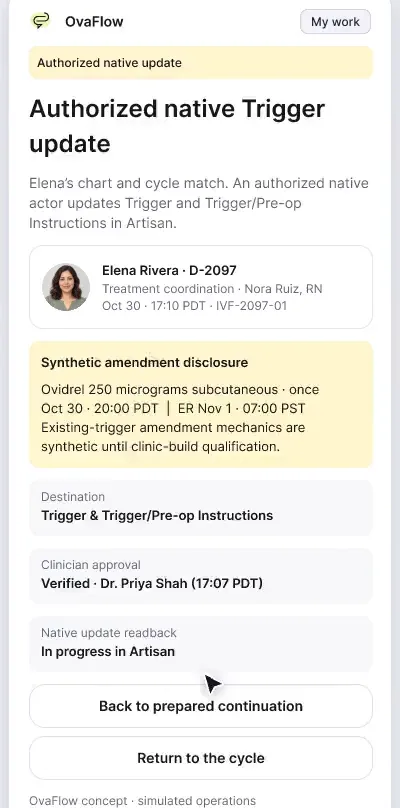
Walks through Elena Rivera's iPhone companion on trigger night and post-retrieval recovery: 8:00 PM PDT (Oct 30) version 3 on top, old link blocked, call request separate from dose log, honest 8:20 PM report, named nurse owner, and urgent recovery phone numbers.
What to watch for & handoff to next stop
Watch for: Watch how tapping the older notification link intercepts version 2 (8:30 PM PDT) and routes Elena straight to version 3 (8:00 PM PDT, Oct 30).
Handoff: Contrasts Elena's active stimulation cycle with Maya Chen's quiet treatment pause in Stop 2.
- 02
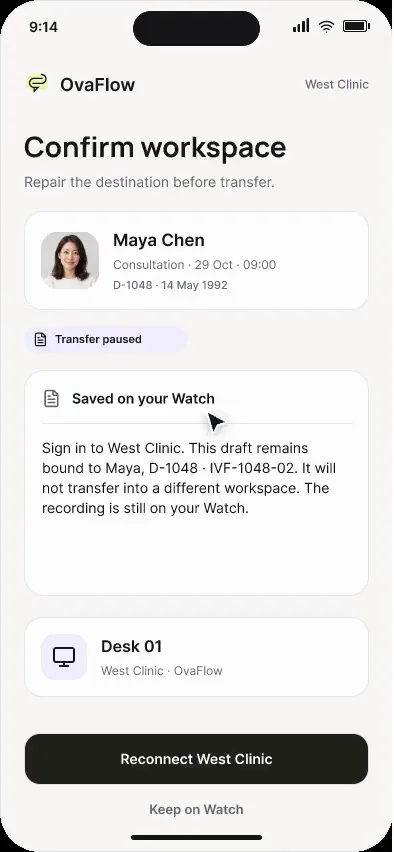
Maya's iPhone: a chosen pause and a private support call
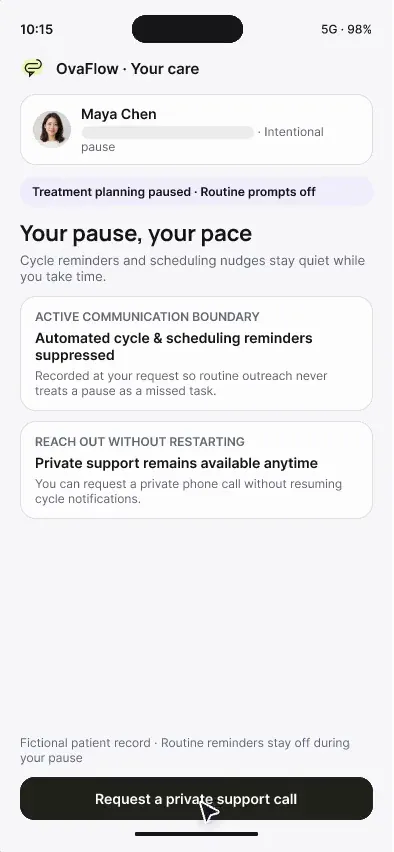
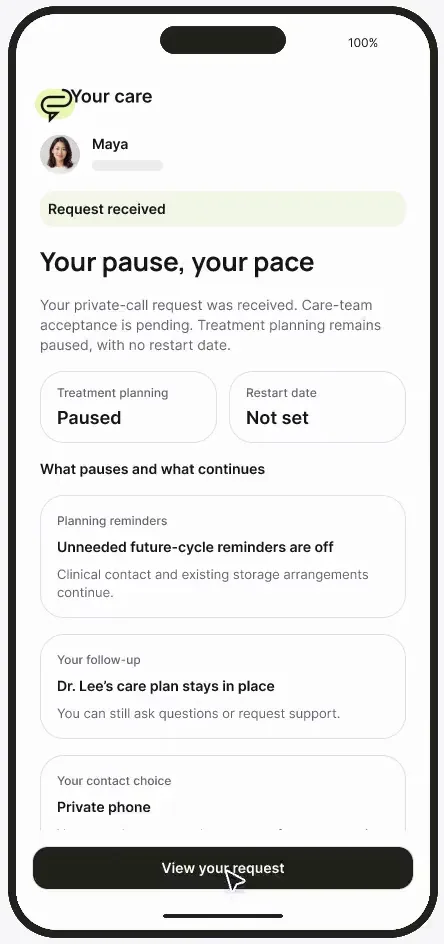
“Your pause, your pace”: routine reminders stop, and asking for a private call doesn't restart treatment.
Follows Maya Chen during a chosen pause between cycles: routine checklist timers are silenced, she requests a confidential call on her private number, and her treatment pause remains untouched.
What to watch for & handoff to next stop
Watch for: Notice that submitting the private callback request leaves her status as 'Pause kept, call pending' rather than restarting cycle tasks.
Handoff: Places both Elena's and Maya's iPhone screens side by side with the clinic's desktop workspace in Stop 3.
Show stops 3–3 in this tour (1 more walkthroughs)
- 03
Patient and clinic, side by side
The patient's phone and the clinic's workspace side by side, so each reassuring screen shows the safeguard behind it.
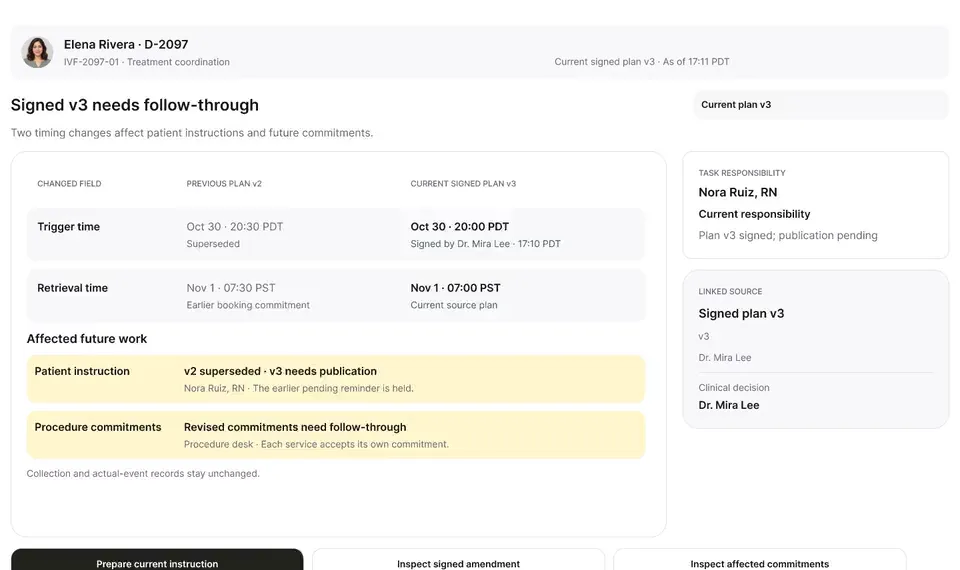
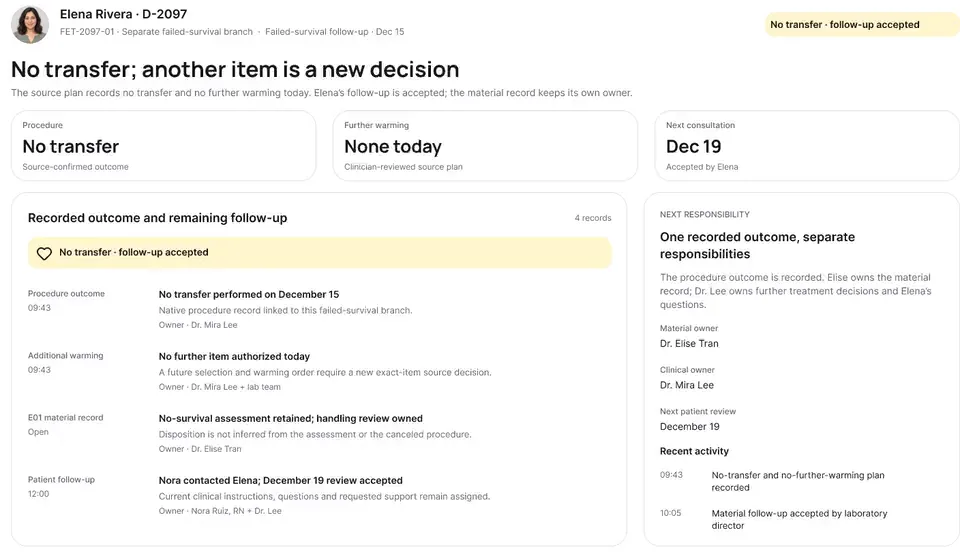
Shows the patient's iPhone on the left and the clinic's desktop workspace on the right across both Elena's arc (trigger v3, 8:20 PM report, recovery, OB graduation) and Maya's arc (pause, private support, return).
What to watch for & handoff to next stop
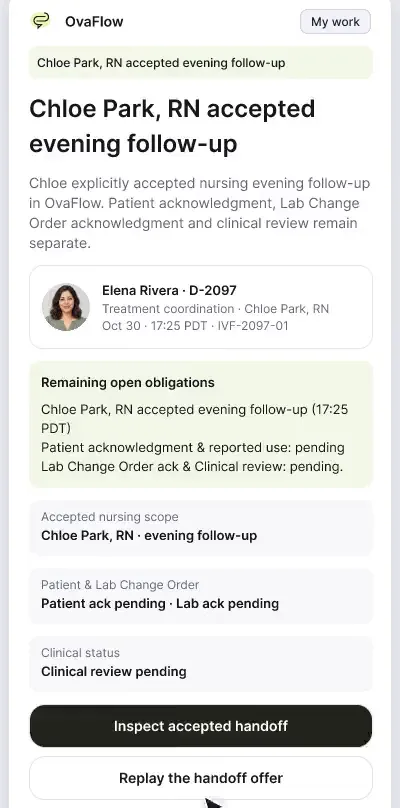
Watch for: Watch how Elena's 8:20 PM PDT report on the left immediately opens two distinct rows (nursing callback + Dr. Mira Lee review) on the right.
Handoff: Completes the Patient Experience tour.
Tour FAQ
Questions about the Patient experience tour
Common questions from patients, families and the teams who support them reviewing this sequence.
Does the patient app ever decide whether a symptom like bloating or pelvic pain is normal?
Never. OvaFlow does not triage symptoms. The recovery check-in routes the patient's responses to her nursing team and keeps direct urgent clinic phone numbers `(202) 555-0141` and `(202) 555-0140` pinned at the top of the screen.
What happens if a patient accidentally taps an old email link after her doctor changed her trigger time?
OvaFlow blocks the outdated link with a clear notice showing when the instruction was replaced and displays only the current signed instruction.
When is the patient companion planned for release?
The patient companion is a design prototype planned for after the initial clinic desktop pilot.
Other tours
Pick another path.
Executive overview
Practice leaders and medical directorsArtisan clinics
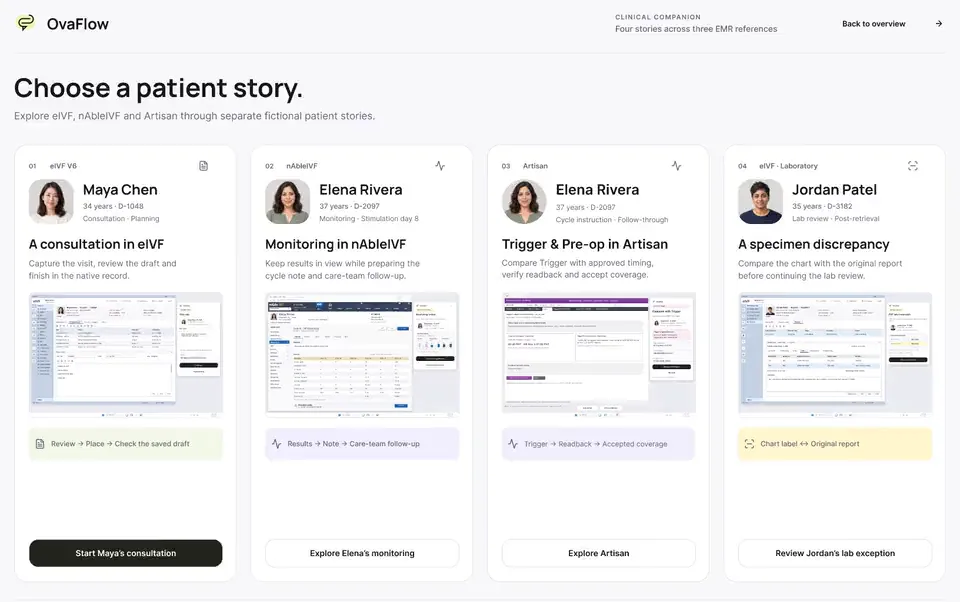
Clinics that run ArtisannAbleIVF & eIVF clinics
Clinics that run nAbleIVF or eIVF
Show 3 more guided tours (Workstation, messaging & recovery · Mobile & Watch · Lab, cryo & pharmacy)
Next step
Seen the recordings? Walk it with us.
A guided walkthrough of the design prototype, paced around your questions and your team's day. Fictional records only; please don't send patient data.