Apple Watch: wrist capture, offline retention and privacy
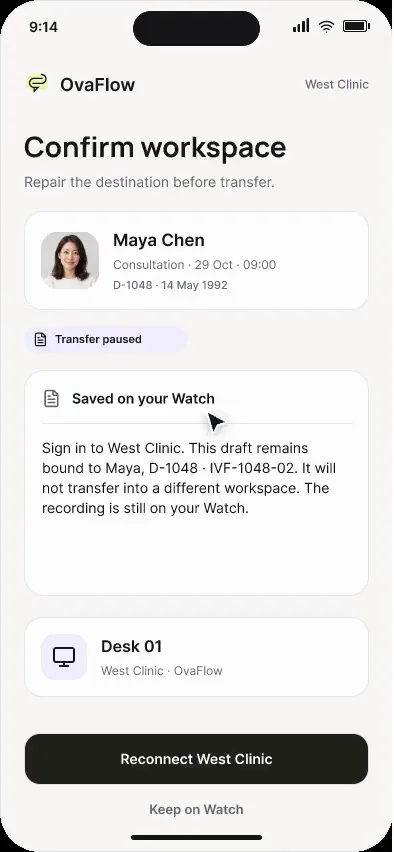
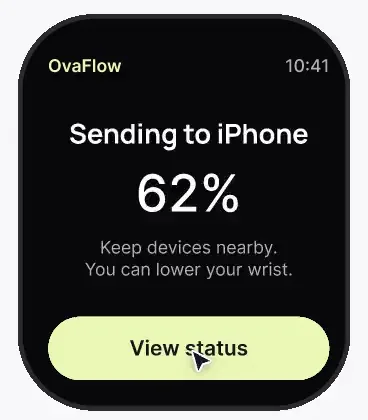
Between ultrasound rooms, a wrist note saves on the Watch first, says plainly where it is, and hides the patient's name when the wrist drops.
Product preview · Fictional patient data
Walkthrough 15 of 29 · iPhone
Confirm the patient and consent before the mic turns on, pause for the exam, and hand the draft to the desk even while the desk is offline.
Clinician iPhone: in-room capture, consent and an offline desk, muted recording of the design prototype. Fictional patient data.
Chapter 1 of 6: Today's schedule
Recorded from an interactive design prototype. Every patient, clinician and clinic is fictional, EMR screens are modeled reconstructions, and nothing shown is a live connection to any clinic or vendor system.
Clinical & operational context
A physician captures an in-room consultation on iPhone. The encounter and the patient's consent come first, the recording state is always visible, and capture pauses for the physical exam. When the desk workstation is offline, the draft waits on the phone until the desk confirms it arrived.
Reproductive endocrinologists and nurses move constantly between consultation rooms, ultrasound suites, and procedure bays where Wi-Fi can drop or where no desktop keyboard is convenient. Capturing a consultation or ultrasound summary on a clinic iPhone works only if patient identity and verbal consent are confirmed first, recording pauses cleanly during the physical exam, and an offline workstation at the desk never causes the mobile draft to vanish.
In this iPhone walkthrough, the clinician selects the patient from today's schedule, records explicit patient consent before starting audio capture, pauses recording during the physical examination while keeping a visible status indicator, reviews the structured draft on the iPhone after the visit, hands the draft off to the desktop workstation for EMR placement, and sees how OvaFlow holds the draft safely on the phone when the target workstation is offline.
Dr. Mira Lee
Selects visit from schedule and confirms patient consent
Dr. Mira Lee
Pauses capture during physical exam; resumes for plan
Dr. Mira Lee
Reviews structured draft on iPhone and taps Send to Desk
Handoff queue
Detects workstation is offline; holds draft until desk wakes
From schedule selection and verbal consent in the exam room to safe queuing when the desktop workstation is offline.
Guardrail: Capture cannot start before patient + consent confirmation, and an offline desktop holds the draft safely on the iPhone.
What to watch for
A physician captures an in-room consultation on iPhone. The encounter and the patient's consent come first, the recording state is always visible, and capture pauses for the physical exam. When the desk workstation is offline, the draft waits on the phone until the desk confirms it arrived.
Follow the exact timestamps, UI status changes, and coordination safeguards as the recording plays.
What to watch for: The clinician starts from today's schedule on the iPhone, tying capture to the specific patient visit.
Boundary rule: Unbound 'mystery recordings' without a patient context are prevented at the start.
On-screen narration: The clinician's consultation schedule for today opens on iPhone.
What to watch for: Before the microphone activates, the clinician confirms patient identity and consent on screen.
Boundary rule: Audio capture is blocked until consent is recorded.
On-screen narration: Maya Chen's encounter and her explicit consent to in-room capture are confirmed.
What to watch for: During the ultrasound or physical exam, one tap pauses recording while keeping the visit session open.
Boundary rule: Visible recording and pause states protect patient dignity during examinations.
On-screen narration: Consultation audio is captured with the microphone state clearly visible. Capture pauses during the physical exam. Capture resumes.
What to watch for: Immediately after the visit, the clinician reviews the structured note draft on the iPhone.
Boundary rule: Key details can be checked while the visit is still fresh in mind.
On-screen narration: The visit ends and the structured draft is reviewed on the iPhone.
What to watch for: The clinician hands the reviewed draft to their desktop workstation for EMR placement.
Boundary rule: Final chart placement happens beside the full desktop EMR with a save check.
On-screen narration: The draft is handed to the Windows workstation, Desk 01.
What to watch for: Because the desktop workstation is asleep/offline, the iPhone marks the handoff 'Desk offline — waiting' and retains the draft.
Boundary rule: An offline computer never causes a mobile draft to fail or disappear.
On-screen narration: The desk is offline, so the draft waits on the phone until the desk confirms it. The handoff is retried and the desk confirms it arrived.
OvaFlow never makes the clinical call in these recordings. Physicians sign, the person taking a handoff accepts it, and the lab keeps its own holds. The companion tracks, checks and stops; staff decide.
In this walkthrough
Every patient, family member, clinician and clinic in these stories is fictional. Names, times and screens come from prototype walkthroughs, not from real care.
 Maya ChenPatient
Named or shown on screen. An EMR here is a modeled workflow example built for the prototype, not the vendor's own software. OvaFlow is designed to work beside these systems.
 Clinic workstation OS
Systems a clinic running this workflow often uses. They do not appear in this recording.
 Patient education & eConsent
Third-party names and logos are trademarks of their respective owners, shown to illustrate systems commonly used in IVF clinics. No affiliation, endorsement or live integration is implied. nAbleIVF, eIVF and Artisan appear as modeled workflow examples.
Where this appears
This recording is part of these pages. Each one explains the step in more depth.
Questions & answers
What clinicians, coordinators, practice leaders, and patients ask when reviewing Walkthrough 15.
Most fertility EMRs are desktop web or Windows applications where notes must be placed into specific cycle forms and verified via readback. Sending the reviewed draft to the desk queues it right beside the open EMR.
The iPhone shows 'Desk is offline — waiting' and keeps the full draft queued until the workstation wakes up and acknowledges receipt.
Yes. A prominent Pause button suspends microphone capture immediately and resumes into the same visit draft when the clinician is ready to summarize the plan.
Related
Between ultrasound rooms, a wrist note saves on the Watch first, says plainly where it is, and hides the patient's name when the wrist drops.
When Watch audio drops mid-note, the iPhone keeps what was captured, marks the gap, and reconnects the clinic workspace.
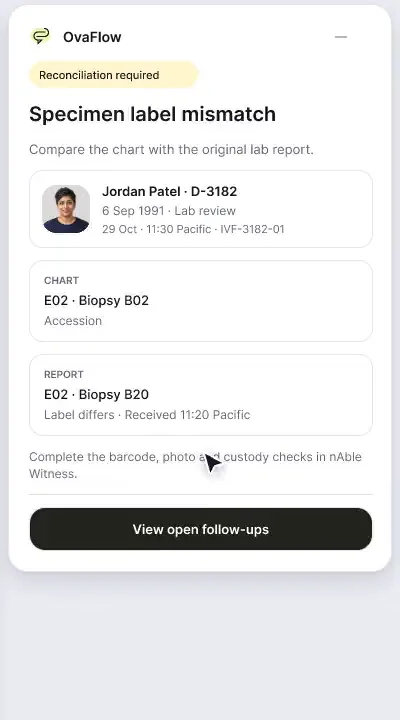
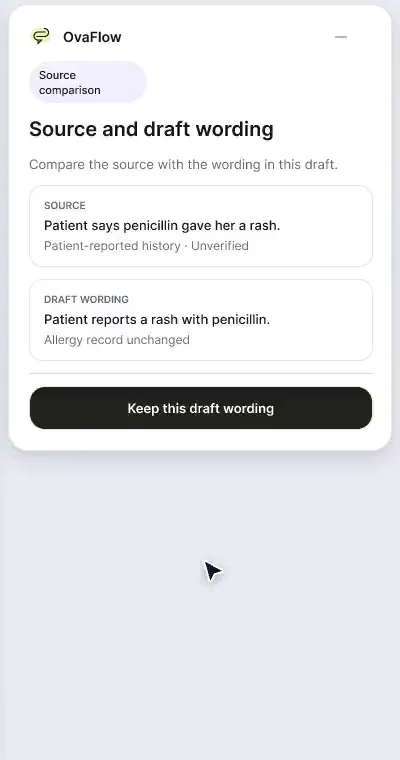
A patient-reported penicillin rash is surfaced against the chart, a monitoring note is confirmed saved rather than assumed, and a specimen label mismatch stops review.
A floating companion designed to dock away from Save buttons, stay out of keyboard focus, ask before listening, and let staff practice outside any chart.
Next step
We'll replay this flow against your roles and handoffs, using fictional records. Please don't send patient data.