Daily care: a changed trigger, the wrong chart and an unknown outcome
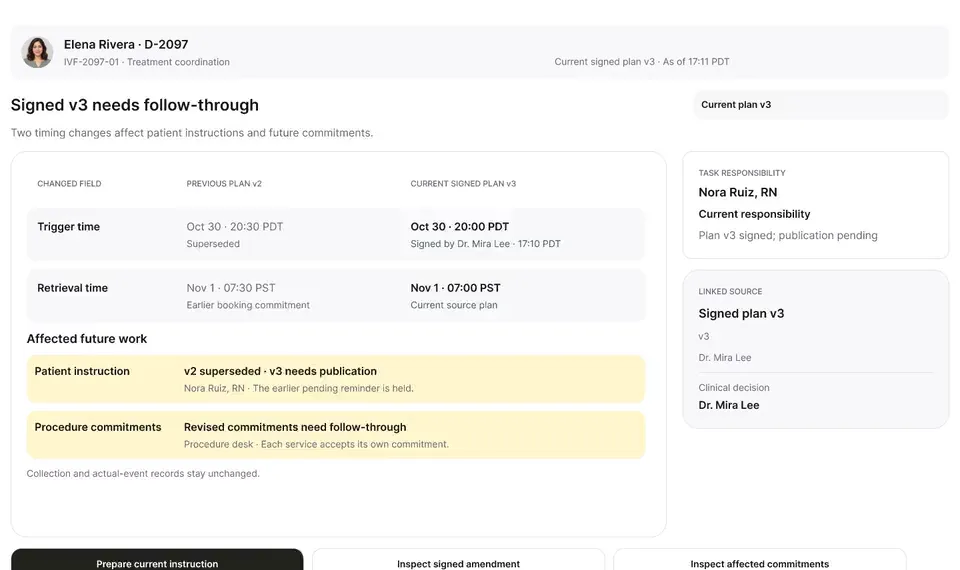
A late estradiol result, a newly signed trigger time, the wrong chart caught before publishing, and a lost confirmation checked rather than blindly resent.
Product preview · Fictional patient data
Walkthrough 10 of 29 · Desktop
When someone new joins the thread just before a clinical update, the send pauses. Duplicate reminders are caught, and dose questions go to a nurse instead of an automated reply.
Care conversations: audience change, duplicate send, clinical routing, muted recording of the design prototype. Fictional patient data.
Chapter 1 of 5: One care inbox
Recorded from an interactive design prototype. Every patient, clinician and clinic is fictional, EMR screens are modeled reconstructions, and nothing shown is a live connection to any clinic or vendor system.
Clinical & operational context
One inbox for patient conversations across the clinic's channels. A change in who is in a group thread holds the outgoing draft until the audience is checked. A reminder that may already have gone out is traced to the original, and a dose question is routed to Nora Ruiz, RN.
In an IVF cycle, a single patient thread often involves the primary nurse, a covering nurse, a financial counselor, and the patient's partner or support person. Three messaging failures happen routinely in clinic inboxes: sensitive details get exposed to a group thread before privacy scope is checked, two nurses reply to the same afternoon message five minutes apart with slightly different wording, or a coordinator tries to answer a medication dosing question directly in chat instead of routing it to clinical nursing/physician review.
This walkthrough inside the desktop Care Conversations inbox shows how OvaFlow handles multi-person threads and duplicate-send prevention: bringing all care channels into one view, displaying an explicit privacy boundary banner when a second person joins a thread, assigning a single named owner to an urgent callback, checking portal/message history before sending to prevent a duplicate reply, and routing a patient's medication dose question to a clinical nurse rather than answering it as an administrative message.
OvaFlow safeguard
Flags when a partner or second recipient is on the thread
Nora Ruiz, RN
Accepts ownership of urgent patient callback
OvaFlow safeguard
Checks if another nurse already replied in the portal
Coordinator
Routes dosing question to clinical nurse queue
How Care Conversations prevents accidental disclosure on multi-party threads, stops duplicate replies, and routes dosing questions to nursing.
Guardrail: Every outbound reply checks recent sent history for duplicates, and dosing questions route to clinical nursing review.
What to watch for
One inbox for patient conversations across the clinic's channels. A change in who is in a group thread holds the outgoing draft until the audience is checked. A reminder that may already have gone out is traced to the original, and a dose question is routed to Nora Ruiz, RN.
Follow the exact timestamps, UI status changes, and coordination safeguards as the recording plays.
What to watch for: The Care Conversations view groups patient portal threads, callback requests, and internal notes by episode.
Boundary rule: Every thread displays who is on the conversation and who owns the next response.
On-screen narration: The care conversations inbox opens.
What to watch for: When a partner or additional participant joins the thread, a visible scope banner highlights who will see the reply.
Boundary rule: Staff see recipient visibility before typing a single word.
On-screen narration: Maya Chen's care-team thread opens. Maya's invitation to an authorized scheduling care group is reviewed. The care group's active participants and scope are confirmed. The group's membership changes, so the outgoing draft is held until the audience is checked. The draft stays unsent, and the inbox returns.
What to watch for: An urgent patient callback request is claimed by a single named nurse owner.
Boundary rule: Claiming ownership prevents three nurses from calling the patient simultaneously or zero nurses calling.
On-screen narration: Elena Rivera's urgent callback needs an explicit owner. Nora Ruiz, RN acknowledges the callback, and the acknowledgment is recorded. Back to the inbox.
What to watch for: Before sending a reply, OvaFlow checks whether a matching update was already sent in the last few minutes.
Boundary rule: Duplicate-send checks prevent conflicting or repeated instructions.
On-screen narration: An approved WhatsApp reminder template opens. Elena changes her contact preference, so the reminder pauses. The duplicate-send check appears: “Check before sending again”. The original reminder is found, so no duplicate is sent. One verified delivery of the reminder is shown.
What to watch for: When a patient asks a medication dose question, the thread routes the item to a clinical nurse with chart context.
Boundary rule: Medication dosing questions are never answered from an unverified administrative chat box.
On-screen narration: A dose question from the patient is routed straight to Nora Ruiz, RN, with no automated advice.
OvaFlow never makes the clinical call in these recordings. Physicians sign, the person taking a handoff accepts it, and the lab keeps its own holds. The companion tracks, checks and stops; staff decide.
In this walkthrough
Every patient, family member, clinician and clinic in these stories is fictional. Names, times and screens come from prototype walkthroughs, not from real care.
 Maya ChenPatient
 Elena RiveraPatient
Named or shown on screen. An EMR here is a modeled workflow example built for the prototype, not the vendor's own software. OvaFlow is designed to work beside these systems.
 Patient messaging channel
 Clinic workstation OS
Third-party names and logos are trademarks of their respective owners, shown to illustrate systems commonly used in IVF clinics. No affiliation, endorsement or live integration is implied. nAbleIVF, eIVF and Artisan appear as modeled workflow examples.
Where this appears
This recording is part of these pages. Each one explains the step in more depth.
Questions & answers
What clinicians, coordinators, practice leaders, and patients ask when reviewing Walkthrough 10.
First, claiming the thread shows a live owner badge to everyone else; second, before a reply is placed, OvaFlow checks the thread's recent sent history and warns if another reply just landed.
The composer header changes to show all recipients on the thread and highlights any patient-specific disclosure preferences before a message can be drafted.
No. Dose and medication questions are flagged for routing to a clinical nurse or physician alongside the signed chart order.
Related
A late estradiol result, a newly signed trigger time, the wrong chart caught before publishing, and a lost confirmation checked rather than blindly resent.
Every member of the procedure team commits to the slot, a mid-cycle insurance change rebuilds the estimate, consent lands on the right person's chart, and the interpreter is booked for every visit.
Next step
We'll replay this flow against your roles and handoffs, using fictional records. Please don't send patient data.